Revenue recovery for HVAC and home services · early access
Stop losing jobs you already paid to generate.
RecoverOS helps HVAC and home-service businesses capture missed calls, follow up with potential customers, recover forgotten estimates, and convert more opportunities into booked jobs.
Recover revenue from the opportunities already entering your business.
Open the demo (fictional data)
- Recover missed calls
- Automate follow-ups
- Recover more opportunities
Step 1 of 6 · Call comes in
Ringing… your team is out on jobs.
- Call
- Captured
- Lead
- Booked
Demonstration with a fictional caller. Live phone answering needs a connected number.
The problem
Every missed opportunity has a cost.
Most home-service businesses don’t lose jobs to competitors on price. They lose them to silence: a call nobody returned, a quote nobody followed up.
How it usually plays out
- 1
2:14 PM
Incoming call · AC not cooling
- 2
2:14 PM
Rang 20 seconds · no answer
- 3
2:16 PM
Caller tries the next company
Illustrative example. Every step is something RecoverOS tracks, so it can be caught before the last one.
RecoverOS helps your business stop letting these opportunities slip away.
The platform
Everything you need to recover more revenue.
Choose a capability to see how it works in the product.
AI Receptionist
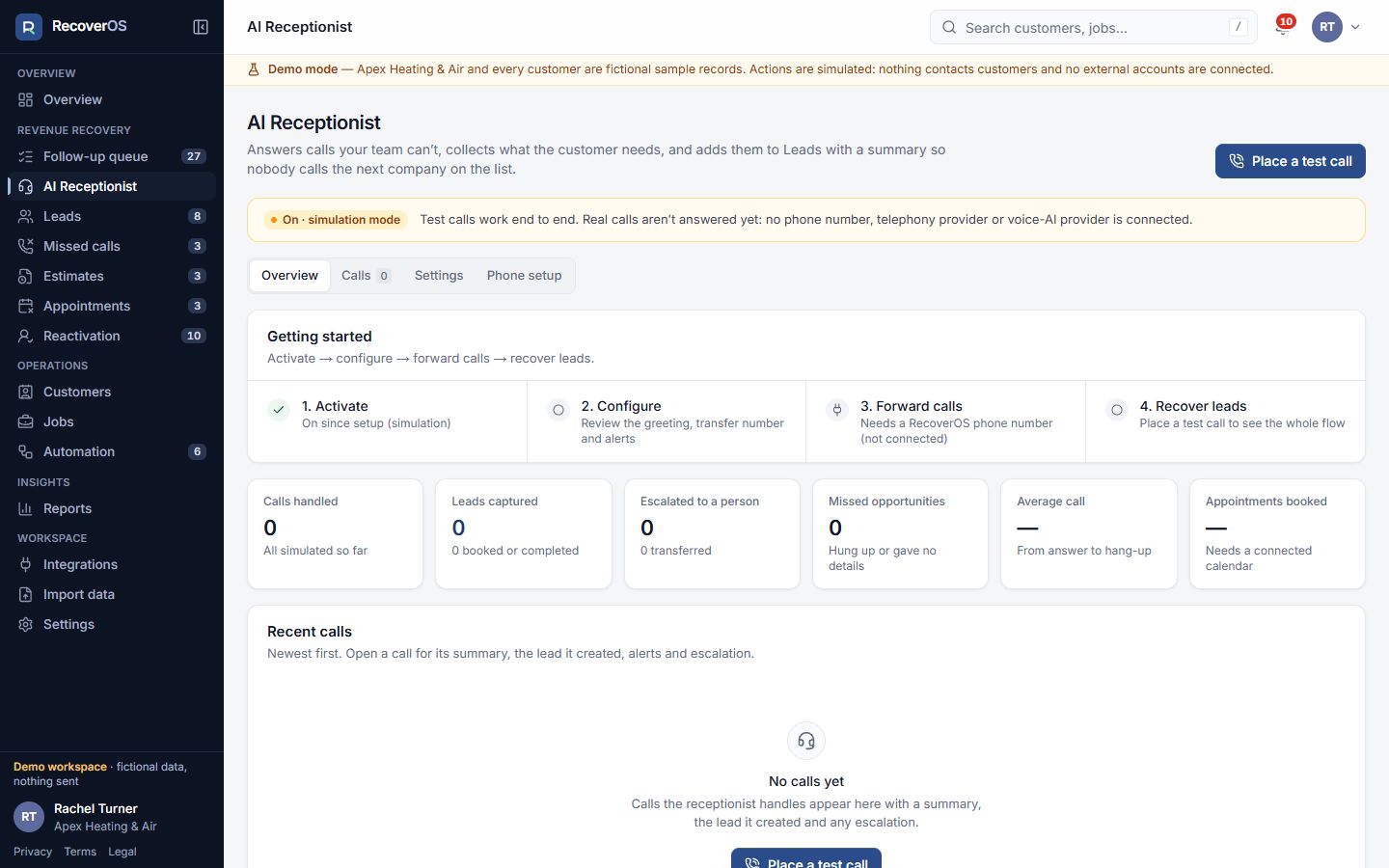
Answers the calls your team can’t, and turns them into leads.
- Answers through your phone line’s “forward when unanswered”
- Captures name, number, address, problem and urgency
- Alerts you about each new lead and escalates emergencies
Early access: test calls in the demo. Answering real calls needs a connected phone number.
AI receptionist · recent calls
How it works
From missed call to recovered opportunity.
Step 1
Customer calls
A call comes in while your team is busy.
Incoming(704) 555-0148Step 2
RecoverOS captures it
Unanswered calls are forwarded by your phone line, or logged as missed.
Step 3
Customer gets a response
The AI receptionist answers, or an approved text-back goes out.
Step 4
Lead enters the pipeline
Name, need, address and urgency appear as a lead, assigned and queued.
Step 5
Your team moves it forward
You follow up, book the visit, and track the job to a verified invoice.
Not every call becomes a booked job. RecoverOS makes sure none is forgotten, and shows which ones turned into work and which didn’t.
When it starts counting as revenue
Step through one opportunity. Booked work isn’t revenue; only a completed job with a verified invoice is.
Step 1 of 6 · Sample opportunity: Jessica M., missed call Demo
A call goes unanswered
Jessica calls at 8:12 AM about an AC that isn’t cooling. Nobody picks up. RecoverOS records the missed call as an opportunity with an estimated job value.
Your team: Nothing yet. It appears at the top of Needs attention.
Caller intent: AC not cooling, upstairs at 82°
How this opportunity is counted
- Potential recovery value
- $650
- Active recovery pipeline
- $650
- Booked work
- $0
- Verified recovered revenue
- $0
Potential value is an estimate. It is never counted as revenue.
Step 1: A call goes unanswered. Verified recovered revenue $0.
Interactive preview
See what an owner sees each morning
Real figures calculated from a fictional HVAC company’s records, the same way the product calculates yours.
Inside RecoverOS
A real platform, not a mock-up.
Switch between the screens your team uses every day.
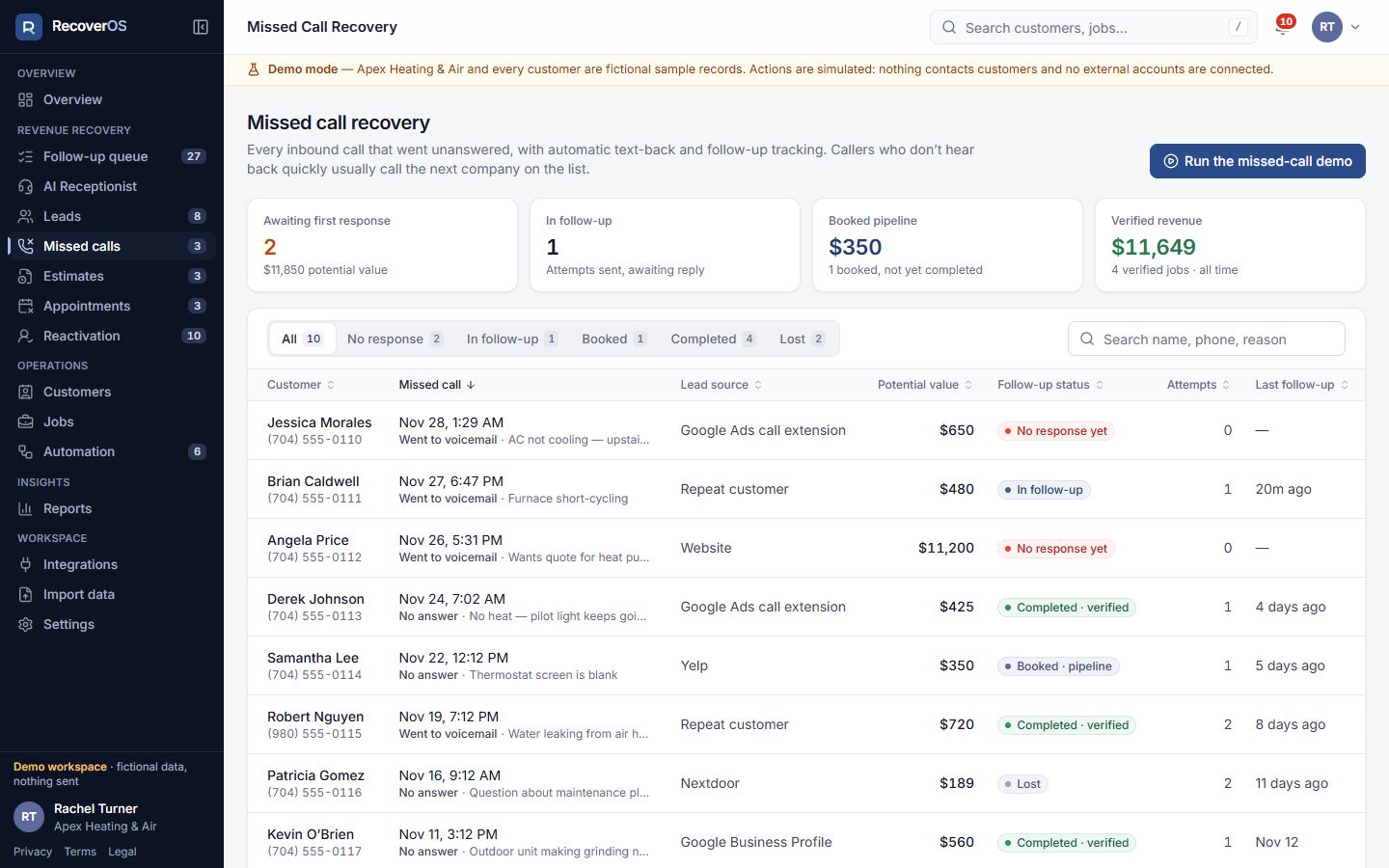
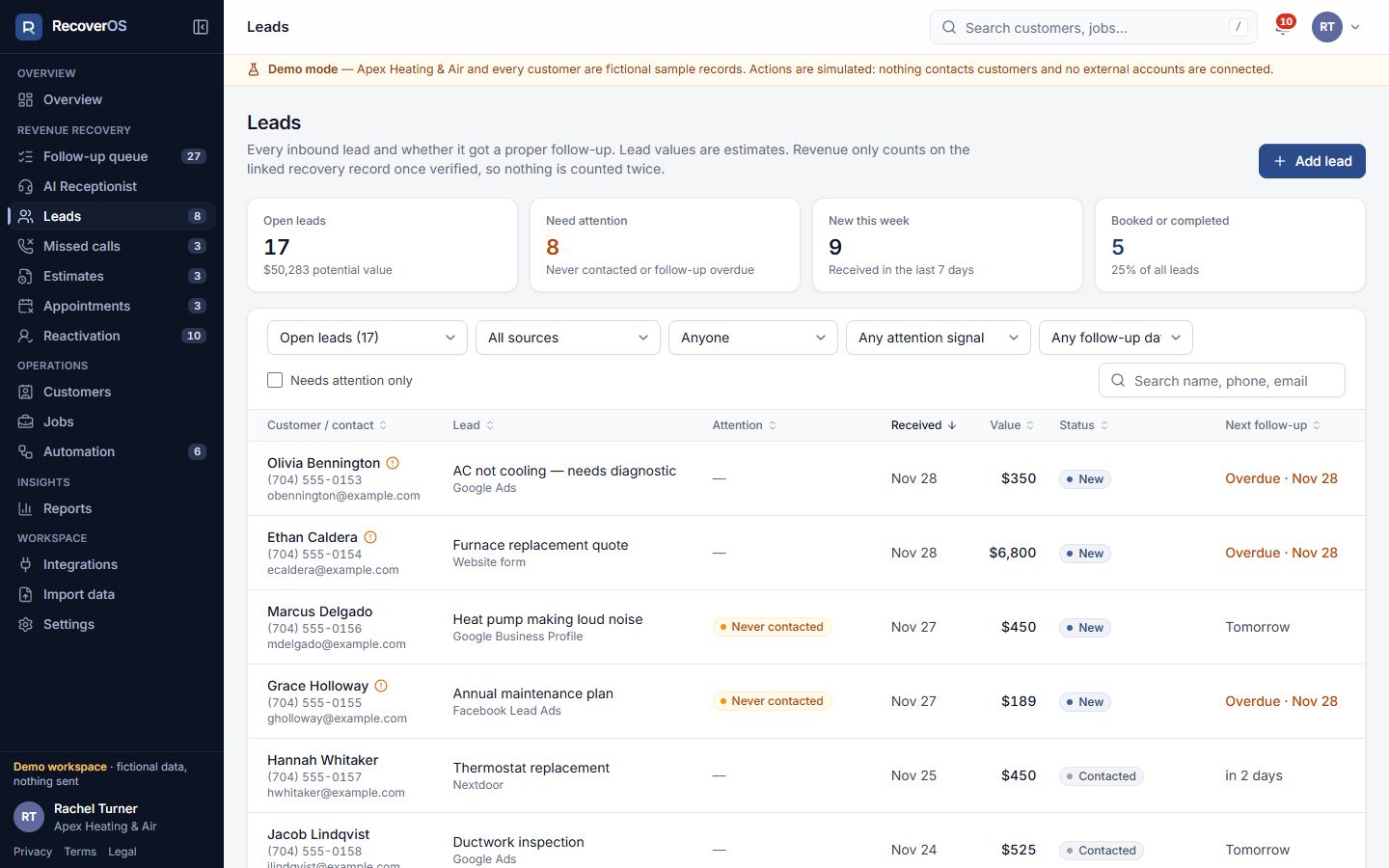
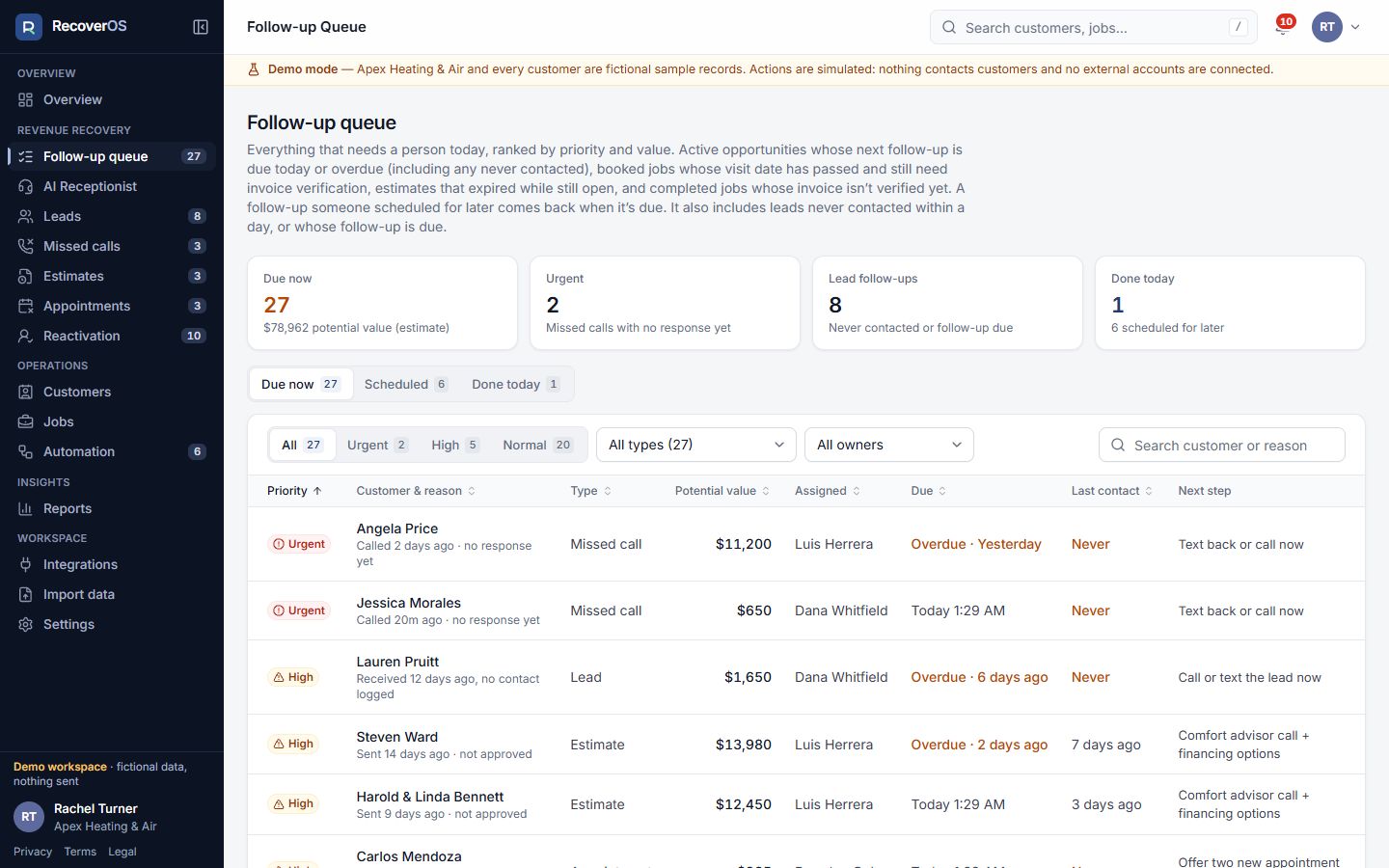
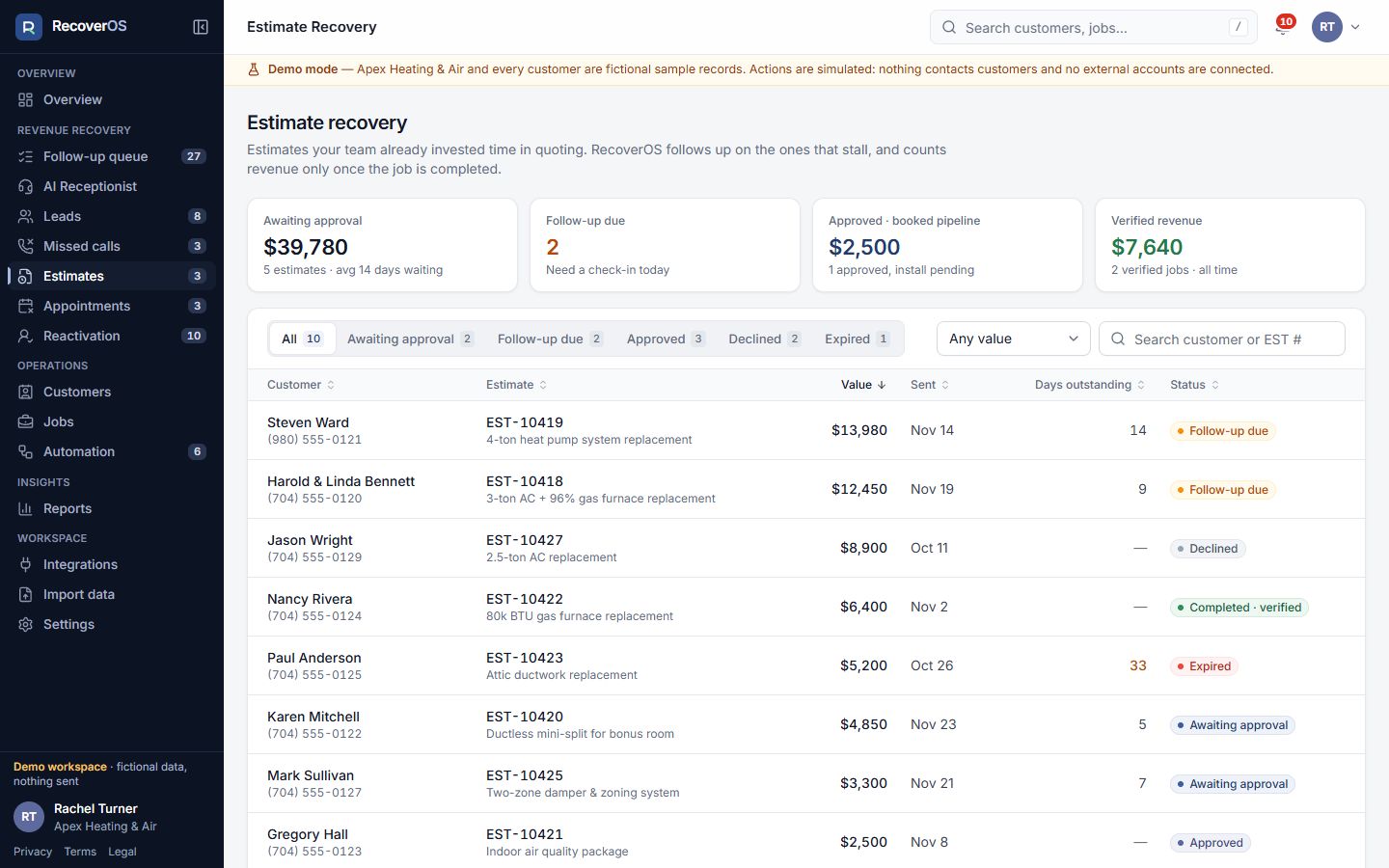
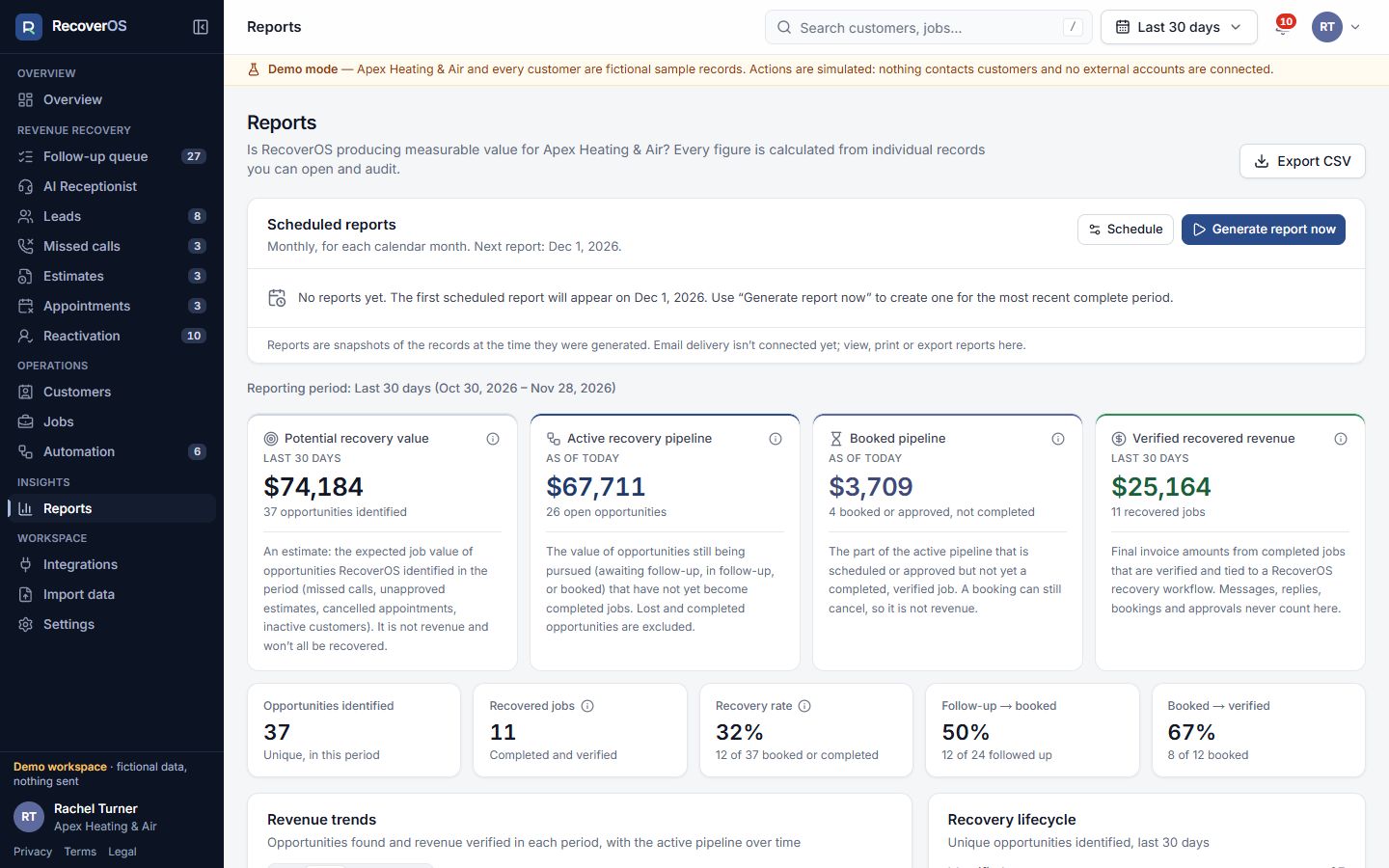
Every unanswered call, its follow-up status and what it led to. Screenshot of the demo with fictional sample data.
Your numbers
Recover revenue that might otherwise be lost.
Pick a situation and enter your own numbers to see what’s at stake each month.
Starting values are placeholders. Use your own numbers: RecoverOS doesn’t publish customer results or promise a recovery rate.
Your estimate · based on your assumptions
- Value at stake each month
- $18,000
- If 15% were won back
- $2,700
- $32,400 a year
How RecoverOS organizes it
- Each unanswered call becomes a tracked opportunity
- A text-back or the AI receptionist responds
- The lead lands in the queue with a next step
Hypothetical calculation from the numbers you entered. Not a RecoverOS customer result or a guarantee.
Numbers you can defend
Potential value, active pipeline, booked work and verified revenue are always kept separate.
Contact rules built in
Opt-outs, do-not-contact flags, quiet hours, attempt limits and duplicate checks before every follow-up.
A full audit trail
Every approval, status change, opt-out and verification records who did it and when.
Who it’s for
Built for businesses that live on inbound calls.
Designed for home-service companies that get calls and inquiries every day and want more of them to become paying jobs. HVAC comes first.
HVAC
Our focus · early access
Built first for residential HVAC: seasonal rushes, emergency calls, big-ticket replacement estimates and maintenance plans.
- AC not cooling
- No heat
- System replacement estimates
- Maintenance tune-ups
- Gas-smell and CO-alarm safety rules
Integrations
Works alongside your existing software.
RecoverOS reads customers, estimates, jobs and invoices from your field-service software rather than replacing it. Here’s where each connection stands today.
- Housecall ProPlanned
- JobberPlanned
- ServiceTitanPlanned · requires partner approval
- Twilio (SMS & calls)Planned
- Email deliveryPlanned
- CSV importAvailable now
Until a connection is live, import customers and open estimates from a CSV export.
Pricing
Simple monthly plans.
Launch pricing is available to our first 10–15 HVAC businesses. As RecoverOS grows, pricing for new customers will increase.
Founding customer pricing
Starter
For smaller HVAC businesses that want to recover missed opportunities.
$299/mo
Billed monthly
- Missed-call recovery· early access. Works in the app today; texts are simulated until messaging is connected.
- Lead follow-up (Available now)
- Estimate recovery (Available now)
- Recovery pipeline and dashboard (Available now)
- Up to 3 team members· early access. Assign work to your team today; separate sign-ins for team members arrive with accounts.
- Approved message templates (Available now)
- Revenue verification and reporting (Available now)
- CSV import (Available now)
- Self-service onboarding (Available now)
Growth
For growing HVAC businesses that need more comprehensive recovery workflows.
$499/mo
Billed monthly
Everything in Starter, plus:
- Appointment recovery (Available now)
- Customer reactivation (Available now)
- Automated follow-up sequences· early access. Works in the app today; texts are simulated until messaging is connected.
- Up to 10 team members· early access. Assign work to your team today; separate sign-ins for team members arrive with accounts.
- Escalation workflows (Available now)
- Scheduled reports· early access. Reports are generated in the app today; email delivery is planned.
- Audit log (Available now)
- CSV exports (Available now)
- Field-service integrations when available· planned. Housecall Pro, Jobber and ServiceTitan connections are planned, not yet available.
Scale
For larger HVAC operations.
$799/mo
Billed monthly
Everything in Growth, plus:
- Unlimited team members· early access. Assign work to your team today; separate sign-ins for team members arrive with accounts.
- Multiple business locations or business lines· planned
- Advanced automation· planned
- Expanded reporting· planned
- Priority support (Available now)
- Available now
- Early access: works in the app; live texts and staff sign-in need connections still in progress
- Planned
Get started your way
Set it up yourself for free, or have our team help. Implementation fees are separate from your monthly RecoverOS subscription.
Self-service
Freeone-time
For businesses that want to configure RecoverOS themselves.
- Recommended
Professional setup
$499one-time
For businesses that want help getting RecoverOS configured correctly.
Priority implementation
$999one-time
For businesses that want a more comprehensive implementation.
You choose during setup. Implementation covers configuring the features RecoverOS supports today. Connections still in development are set up when they become available. It isn’t unlimited custom work.
Set it up yourself
RecoverOS is designed for self-service onboarding. Here’s what you can do on your own today, and what’s still coming.
Founding customers keep the monthly price they signed up at for as long as they remain eligible under the founding-customer agreement. Later price changes apply to new customers only. Founding customer pricing, billed monthly. No payment is collected yet: billing isn’t connected.
- 1Create your accountPlanned · Today your workspace is saved in your browser; accounts with sign-in are next.
- 2Configure your businessAvailable now
- 3Import customers and estimatesAvailable now · From a CSV export.
- 4Configure recovery workflowsAvailable now
- 5Connect supported integrationsPlanned · Phone, texting and field-service connections are being built.
- 6Test your setupAvailable now · Including simulated test calls to the AI receptionist.
Questions
Is RecoverOS available today?
RecoverOS is in early access. The interactive demo shows the complete workflow with a fictional HVAC company. Live messaging, phone answering and field-service connections are still being built and aren’t switched on yet.
Does the AI receptionist answer real calls yet?
Not yet. In the demo you can place test calls and see the leads, alerts and summaries it produces. Answering real calls needs a connected phone number and voice provider, which are part of setting up a business.
Will it text my customers without my permission?
No. Follow-ups use templates you approve, and you can require a person to approve every message. Opt-outs, do-not-contact flags, quiet hours and attempt limits are checked before any follow-up. In the demo, nothing is ever sent.
How do you decide what counts as recovered revenue?
Only completed jobs with a verified final invoice count. Messages sent, replies, bookings and approved estimates are tracked separately as pipeline, so the revenue figure isn’t inflated.
Does it work with ServiceTitan, Housecall Pro or Jobber?
Connections are planned but not available yet. ServiceTitan also requires partner approval. Until then, you can import customers and open estimates from a spreadsheet export.
How much does RecoverOS cost?
During our founding-customer launch, Starter is $299/month, Growth $499/month and Scale $799/month. Launch pricing is for our first 10–15 HVAC businesses, and founding customers keep the price they signed up at while they remain eligible. Billing isn’t connected yet, so setting up a workspace collects no payment details.
Stop losing opportunities. Start recovering revenue.
Capture more missed opportunities, follow up consistently, and give your business better visibility into the revenue it may be leaving behind.
Demo booking opens soon. Until then, explore the full product with fictional data (no sign-up), or set up a workspace in about three minutes.